Blog Details
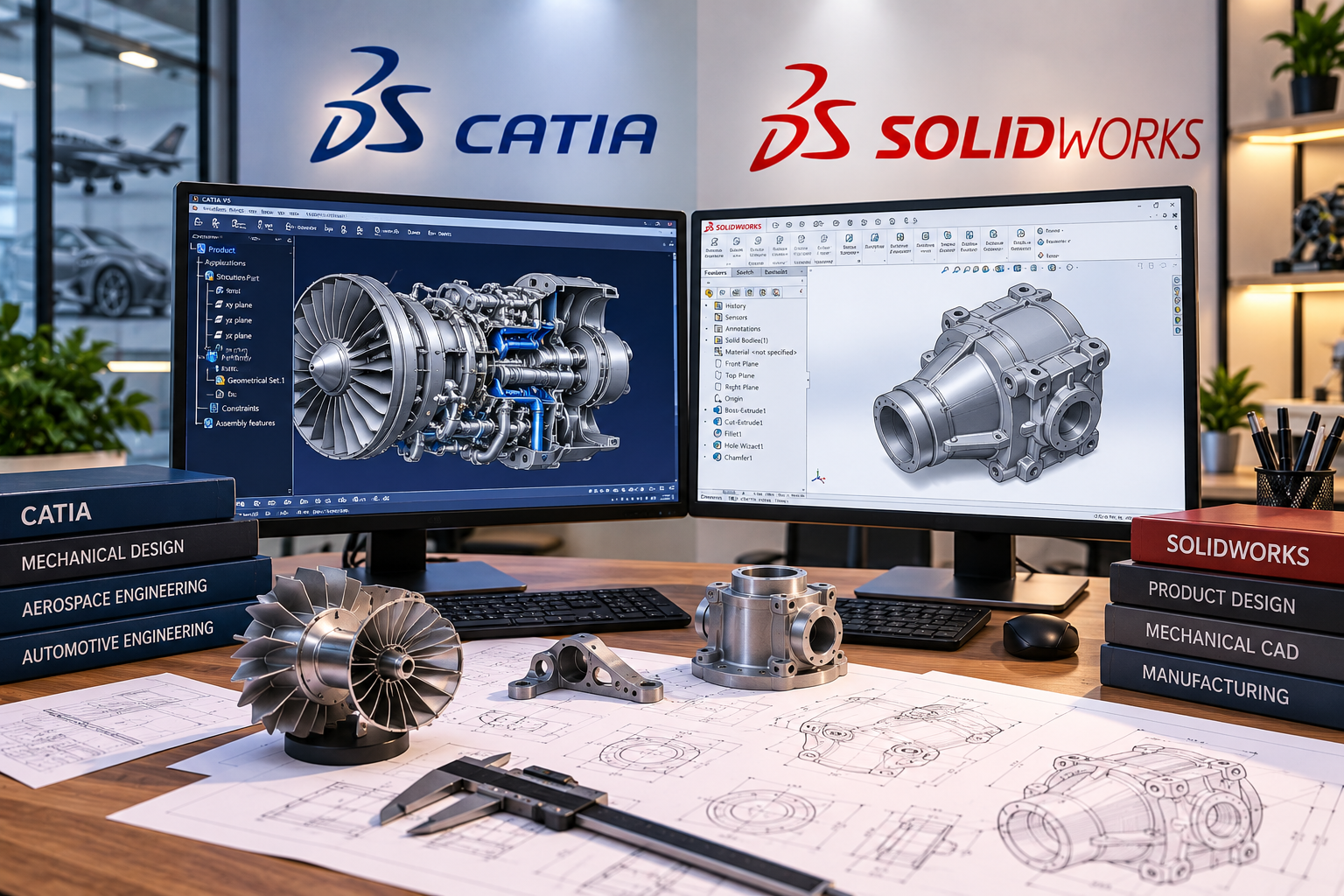
CATIA vs SolidWorks: Which Software Should Product Design Students in Thrissur Learn First?
Choosing the right 3D CAD software is one of the first decisions mechanical engineering and product design students face when preparing for a design career.
Two popular options are CATIA and SolidWorks. Both are developed by Dassault Systèmes, both support professional mechanical product development, and both are used to create detailed 3D models and engineering documentation. However, their workflows, capabilities, industry applications, and learning requirements can differ.
For students considering a Product Design Course Thrissur, the question is not simply which software is more powerful. It is which platform provides the most suitable starting point for their current skills and intended career.
A student interested in general mechanical product development may have different requirements from someone targeting automotive body design, aerospace structures, industrial machinery, or complex surface modelling.
Understanding these differences can help students choose a practical learning pathway without spending unnecessary time or money.
CATIA vs SolidWorks: Which Is Better for Beginners?
SolidWorks is often a practical starting point for beginners learning mechanical 3D CAD because its part modelling, assembly, and drawing workflows are accessible for foundational training. CATIA may be more suitable for students specifically targeting complex product development, advanced surface design, or industries where CATIA is required.
Neither software is universally better. The right choice depends on the intended industry, job role, project complexity, and existing CAD knowledge.
Key Takeaways
- CATIA and SolidWorks are professional CAD platforms developed by Dassault Systèmes.
- SolidWorks is often a suitable starting point for students new to parametric 3D modelling.
- CATIA is particularly relevant to complex product development and advanced surface-design workflows.
- Both platforms support mechanical parts, assemblies, and engineering documentation.
- CATIA is associated with major automotive and aerospace development environments, while SolidWorks is widely used across mechanical product development and manufacturing.
- Engineering fundamentals, manufacturing knowledge, and practical projects matter more than software familiarity alone.
- Students should choose their first software based on career goals rather than assuming one application is always superior.
CATIA vs SolidWorks: Quick Comparison
| Feature | CATIA | SolidWorks |
|---|---|---|
| Developer | Dassault Systèmes | Dassault Systèmes |
| Main focus | Integrated product design and engineering | 3D mechanical design and product development |
| Beginner learning experience | Can require more structured training | Often approachable for beginners |
| Parametric modelling | Yes | Yes |
| Assembly design | Yes | Yes |
| Engineering drawings | Yes | Yes |
| Surface modelling | Advanced capabilities | Surface modelling capabilities |
| Common industry associations | Automotive, aerospace, complex engineering | Machinery, equipment, manufacturing, product development |
| Best suited to | Students targeting CATIA-based industries and complex design workflows | Students building general mechanical CAD foundations |
| Learning priority | Based on target industry | Often a suitable first CAD platform |
The exact capabilities depend on the product version, licensing, modules, and available workbenches or packages.
What Is CATIA?
CATIA is a professional product design and engineering platform used to develop complex components, assemblies, surfaces, and integrated product systems.
CATIA stands for Computer Aided Three-Dimensional Interactive Application.
Developed by Dassault Systèmes, it supports different aspects of product development across industries.
According to the official CATIA platform overview, CATIA supports product design, engineering, and multidisciplinary development workflows.
CATIA is associated with industries such as:
- Automotive
- Aerospace
- Industrial equipment
- Transportation
- Complex product development
- Advanced mechanical engineering
What Can Students Learn in CATIA?
Depending on the course and software environment, students may develop skills in:
- Sketch-based modelling
- Parametric part design
- Assembly design
- Surface modelling
- Engineering drawings
- Product structure
- Design modifications
- Complex component development
CATIA can be especially relevant when the intended job involves sophisticated product geometry or large engineering assemblies.
However, learning CATIA commands alone does not automatically qualify a student for automotive or aerospace engineering positions.
What Is SolidWorks?
SolidWorks is a professional 3D CAD platform widely used for mechanical component design, assemblies, technical drawings, and product development.
It provides tools for converting engineering ideas into parametric 3D models and documentation.
The official SolidWorks website describes its design and engineering solutions for product development.
Students can use SolidWorks to practise:
- 2D sketches
- Parametric 3D modelling
- Part design
- Assembly modelling
- Sheet metal
- Weldments
- Engineering drawings
- Design modifications
- Product development projects
For example, a mechanical engineering student can create individual parts of a bench vice, assemble the components, check how they fit together, and prepare manufacturing drawings.
This type of workflow makes SolidWorks useful for learning fundamental mechanical CAD concepts.
1. CATIA vs SolidWorks: Which Is Easier to Learn?
SolidWorks is often easier for beginners to approach, while CATIA may require additional time to become comfortable with its interface, workbenches, and advanced workflows.
For students who have never used 3D CAD software, the first challenge is understanding concepts such as:
- Sketch constraints
- Extrusions
- Revolves
- Reference geometry
- Feature history
- Parametric relationships
- Assemblies
- Drawing generation
These principles are relevant to both platforms.
SolidWorks offers a relatively direct learning pathway for many foundational mechanical modelling tasks.
CATIA also supports structured parametric design, but its broader engineering environment and specialised workbenches may increase the learning curve.
This does not mean CATIA is unsuitable for beginners.
Students with a clear CATIA-related career goal can start directly with CATIA through a structured training program.
2. CATIA vs SolidWorks for 3D Part Modelling
Both CATIA and SolidWorks support parametric part modelling, allowing designers to create and modify components using dimensions, constraints, and features.
Consider designing a mechanical bracket.
The workflow may involve:
- Creating a sketch
- Defining dimensions
- Applying geometric constraints
- Creating a solid feature
- Adding holes
- Applying fillets
- Modifying the design
- Preparing a drawing
Both applications can support this type of work.
The important skill is understanding how to create a model that remains accurate and editable when dimensions change.
Students should avoid simply memorising the sequence of software commands.
A strong modeller understands why each feature is created and how it affects the final component.
3. CATIA vs SolidWorks for Assembly Design
Both platforms support assembly modelling, which is essential when designing products made from multiple mechanical components.
Most engineering products are not single parts.
They may include:
- Shafts
- Bearings
- Gears
- Fasteners
- Housings
- Brackets
- Moving components
- Supporting structures
Assembly modelling helps designers understand how these components fit and interact.
For example, a student designing a gearbox can create separate components and combine them into an assembly.
Important assembly skills include:
- Component positioning
- Assembly constraints or mates
- Interference checking
- Product structure
- Design changes
- Exploded views
- Assembly documentation
CATIA can be relevant to complex product structures and integrated engineering environments.
SolidWorks is also capable of professional assembly design and is widely used in mechanical product development.
The right platform depends on the project and employer requirements.
4. CATIA vs SolidWorks for Surface Modelling
CATIA is particularly well known for advanced surface-design workflows, while SolidWorks also provides surface modelling capabilities for mechanical and product design.
Surface modelling is important when a product contains complex curved geometry.
Examples include:
- Automotive body panels
- Vehicle interior components
- Aerospace-related surfaces
- Consumer product housings
- Ergonomic product shapes
- Complex industrial components
In these projects, creating a simple solid model may not be sufficient.
Designers may need greater control over surface continuity, shape quality, and geometric transitions.
CATIA offers specialised capabilities relevant to these requirements.
SolidWorks also supports surface modelling, but the most appropriate choice depends on the complexity of the geometry and the organisation's workflow.
Which Should Students Choose?
If your goal is to develop advanced automotive or complex industrial surfaces, CATIA may be particularly relevant.
If your goal is general mechanical component design and product development, SolidWorks can provide a strong foundation.
5. CATIA vs SolidWorks for Engineering Drawings
Both CATIA and SolidWorks can produce engineering drawings from 3D models, helping designers communicate technical information required for manufacturing and assembly.
Engineering drawings may include:
- Orthographic views
- Section views
- Detail views
- Dimensions
- Tolerances
- Notes
- Assembly information
- Bills of materials
For example, a 3D model of a machine component may look correct on screen but still require accurate manufacturing documentation.
Students should understand how to communicate dimensions, fits, tolerances, and technical requirements.
A CAD model is not a substitute for engineering judgment.
This is why students considering mechanical product design should learn technical drawing fundamentals alongside 3D modelling.
6. CATIA vs SolidWorks: Which Industries Use Them?
CATIA and SolidWorks are used across overlapping industries, but certain sectors and organisations may favour one platform based on established product development workflows.
| Industry | CATIA Relevance | SolidWorks Relevance |
|---|---|---|
| Automotive | Strong, especially complex product development | Used in automotive-related design and supplier workflows |
| Aerospace | Strong in relevant engineering environments | Used in aerospace-related component and equipment development |
| Industrial machinery | Used in suitable engineering projects | Common application |
| Manufacturing | Used across relevant product development workflows | Common application |
| Consumer products | Relevant for complex product development | Common application |
| Mechanical equipment | Relevant | Common application |
| Advanced surface design | Particularly relevant | Capable, depending on requirements |
| General mechanical CAD | Relevant | Particularly suitable for foundational training |
Software use varies by company, location, project, and engineering team.
Students should not assume that every automotive employer uses CATIA or every manufacturing company uses SolidWorks.
Reviewing actual job descriptions is a better way to identify the software requirements of a target career.
7. Which Software Is Better for Automotive Design?
CATIA may be a particularly relevant choice for students targeting automotive product development environments where advanced surface modelling, complex assemblies, and CATIA-based workflows are required.
Automotive product development can involve:
- Vehicle components
- Body structures
- Interior parts
- Plastic components
- Sheet metal components
- Mechanical assemblies
- Surface design
- Product documentation
However, automotive engineering includes many different roles.
A company developing manufacturing equipment for the automotive industry may use different CAD software from a company designing vehicle body components.
Students should therefore identify the specific type of automotive work they want to pursue.
The term automotive design alone is too broad to determine the ideal software.
8. Which Software Is Better for General Mechanical Product Design?
SolidWorks is often a practical starting point for students interested in general mechanical products, machinery, equipment, and component development.
Consider a student who wants to design:
- Machine brackets
- Gearboxes
- Fixtures
- Mechanical housings
- Sheet metal enclosures
- Industrial equipment
- Product assemblies
SolidWorks provides workflows suitable for learning these tasks.
Students can begin with part modelling, progress to assemblies, and then develop technical drawings.
As their engineering knowledge grows, they can explore more specialised capabilities.
CATIA can also be used for mechanical product design, but beginners should consider whether their intended employer or industry specifically requires it.
9. Does Learning SolidWorks Make CATIA Easier?
Learning SolidWorks can help students understand transferable CAD concepts that are also useful when learning CATIA.
These concepts include:
- Parametric modelling
- Sketch constraints
- Feature-based design
- Reference geometry
- Assembly relationships
- Engineering drawings
- Design revisions
The interface and specific commands will differ, but the underlying engineering principles remain relevant.
For example, a student who understands how to create an editable parametric component in SolidWorks may find it easier to understand similar modelling concepts in CATIA.
However, advanced CATIA workbenches and specialised workflows still require dedicated training.
Learning one application does not automatically provide proficiency in the other.
10. CATIA vs SolidWorks: Which Is Better for Career Opportunities?
Neither software guarantees better career opportunities; employability depends on the industry, role, engineering knowledge, portfolio, qualifications, and employer requirements.
Potential roles associated with mechanical CAD and product development include:
- Junior Mechanical CAD Designer
- Product Design Engineer
- Mechanical Design Engineer
- 3D CAD Modeller
- CAD Engineer
- Component Design Engineer
- Product Development Engineer
- Design Assistant
- Mechanical CAD Technician
- Surface Modelling Specialist
Some roles may specifically require CATIA, while others may prefer SolidWorks or another CAD platform.
For freshers, practical project experience can help demonstrate relevant abilities.
Students should review job responsibilities carefully rather than choosing software based only on the job title.
Which Software Should Mechanical Engineering Students in Thrissur Learn First?
Students should choose their first CAD platform based on the type of engineering work they want to perform.
| Career Interest | Suggested Starting Point |
|---|---|
| General mechanical product design | SolidWorks |
| Mechanical components and assemblies | SolidWorks |
| Industrial machinery | SolidWorks or employer-required CAD |
| Sheet metal product design | SolidWorks or suitable CAD |
| Automotive body and surface design | CATIA |
| Aerospace-related product development | CATIA, where required |
| Complex surface modelling | CATIA |
| Learning parametric CAD fundamentals | SolidWorks |
| Joining a CATIA-based engineering company | CATIA |
| Exploring product design before specialising | SolidWorks |
These are practical learning suggestions, not universal industry rules.
Students who already know their target employer uses CATIA may reasonably choose CATIA first.
What Should Students Learn Before CATIA or SolidWorks?
Mechanical engineering fundamentals and engineering drawing knowledge make learning professional CAD software more effective.
Students should develop an understanding of:
- Engineering drawing
- Orthographic projection
- Dimensions
- Geometric constraints
- Materials
- Manufacturing processes
- Fits and tolerances
- Machine components
- Assembly principles
- Basic mechanical design
For example, creating a shaft model requires software skills.
Designing a shaft for an engineering application also requires understanding loads, materials, dimensions, manufacturing, and other technical considerations.
Software proficiency and engineering design competence are related but different abilities.
Students can explore CAD CENTER's Mechanical CAD Training to understand relevant learning pathways.
What Should a CATIA or SolidWorks Portfolio Include?
A strong mechanical CAD portfolio should demonstrate the complete product development workflow rather than only displaying finished 3D models.
A practical portfolio may include:
- Project requirements
- Concept development
- Engineering considerations
- Part modelling
- Parametric features
- Assembly modelling
- Interference checks
- Material considerations
- Manufacturing considerations
- Engineering drawings
- Exploded views
- Final project presentation
Example: Bench Vice Design Project
A student could model a bench vice using either CATIA or SolidWorks.
The project may include:
- Base component
- Fixed jaw
- Moving jaw
- Screw mechanism
- Handle
- Assembly
- Exploded view
- Technical drawings
This type of project helps demonstrate modelling, assembly, documentation, and mechanical understanding.
Students should clearly explain which parts of the project they completed independently.
Should Students Learn Both CATIA and SolidWorks?
Learning both can be useful, but beginners should first develop strong proficiency in one platform before adding another.
Trying to learn two advanced CAD applications simultaneously may lead to superficial knowledge.
A better approach is:
Engineering Drawing → Parametric CAD → Part Modelling → Assemblies → Technical Drawings → Practical Project → Second CAD Platform
For example, a student may begin with SolidWorks, complete several mechanical design projects, and then learn CATIA for a specific automotive or aerospace career direction.
Alternatively, a student targeting a CATIA-based company can start with CATIA and learn SolidWorks later if required.
The learning sequence should support a clear career goal.
What Should You Check Before Joining a Product Design Course Thrissur?
Students should select a course that combines software proficiency with practical mechanical design and manufacturing knowledge.
Before enrolling, ask:
- Does the course teach engineering drawing fundamentals?
- Is parametric 3D modelling included?
- Will students learn part design?
- Are assembly workflows covered?
- Does the course include engineering drawings?
- Are manufacturing considerations discussed?
- Is surface modelling covered where relevant?
- Which CATIA or SolidWorks version is used?
- Will students complete practical projects?
- Is portfolio development included?
- What certification is provided?
- What does placement assistance include?
A course offering more software applications is not automatically better.
Students should focus on what they will be able to design independently after completing the training.
Common Mistakes Students Make When Choosing CATIA or SolidWorks
The biggest mistake is selecting CAD software based only on popularity rather than understanding the intended engineering role.
Other common mistakes include:
- Assuming CATIA is always better because it supports complex projects
- Assuming SolidWorks is only suitable for basic design
- Learning commands without engineering fundamentals
- Ignoring manufacturing requirements
- Focusing only on rendered models
- Skipping assembly modelling
- Not learning technical drawings
- Learning multiple CAD tools superficially
- Building no project portfolio
- Assuming certification guarantees employment
Students should choose software based on project requirements, technical interests, and the skills expected by relevant employers.
CAD CENTER Thrissur – Developing Practical Product Design and Mechanical CAD Skills
CAD CENTER Thrissur provides CAD and engineering software training aimed at helping students connect mechanical design principles with practical product development workflows.
Established in 1989 by Dr. M. R. Sreedharan Nair, former Principal of Government Engineering College, Thrissur, CAD CENTER has experience training engineering students, diploma holders, working professionals, and corporate learners across CAD and engineering technologies.
Its training approach includes:
- Autodesk Authorized Training
- Experienced technical faculty
- Industry-oriented curriculum
- Hands-on CAD practice
- Practical project-based learning
- Modern CAD laboratories
- Mechanical and product design specialisations
- Technical documentation practice
- Placement assistance
- Corporate training experience
- An established alumni network
For students considering a Product Design Course Thrissur, the objective should be to develop accurate 3D modelling, assembly design, engineering documentation, and practical product development skills.
Students can explore CAD CENTER's Mechanical CAD Training and available CAD and Engineering Courses to identify a suitable learning pathway.
Conclusion: CATIA or SolidWorks – Which Should You Learn First?
For students considering a Product Design Course Thrissur, SolidWorks is often a practical first choice for learning general mechanical 3D CAD, while CATIA may be a more targeted option for students interested in complex product development, advanced surface design, and CATIA-based automotive or aerospace workflows.
Both platforms support professional engineering applications.
The most important factors are:
- Your educational background
- Your preferred industry
- The type of products you want to design
- Your existing CAD knowledge
- The software used by target employers
- Your ability to complete practical engineering projects
For students who are unsure which industry they want to enter, a useful learning pathway is:
Mechanical Fundamentals → Engineering Drawing → SolidWorks or CATIA → Part Modelling → Assemblies → Documentation → Practical Portfolio
The goal is not to become familiar with the largest number of CAD applications.
It is to become capable of developing accurate, editable, and technically meaningful mechanical designs.
Ready to Start Your Product Design Career?
If you are a mechanical engineering student or graduate trying to choose between CATIA and SolidWorks, begin by identifying the industries and job roles you want to pursue.
Explore CAD CENTER's Mechanical CAD Training, review available CAD and Engineering Courses, or contact CAD CENTER to discuss a suitable learning pathway based on your career interests.
Frequently Asked Questions
1. Is CATIA better than SolidWorks for product design?
Neither is universally better. CATIA is particularly relevant to complex product development and advanced surface-design workflows, while SolidWorks is widely used for mechanical components, assemblies, machinery, and general product development. The right choice depends on the industry, project requirements, employer preferences, and the student's career goals.
2. Which is easier for beginners, CATIA or SolidWorks?
SolidWorks is often considered more approachable for beginners learning parametric 3D modelling, assemblies, and technical drawings. CATIA can have a steeper learning curve because of its broader engineering environment and specialised workbenches. However, beginners can start directly with CATIA when their target career specifically requires it.
3. Is CATIA necessary for automotive design?
CATIA is relevant to many automotive product development workflows, particularly those involving complex geometry, surfaces, and assemblies. However, not every automotive employer uses CATIA. Software requirements depend on the company, component, engineering department, and project. Students should review job descriptions before deciding which CAD platform to prioritise.
4. Can mechanical engineering students learn SolidWorks without AutoCAD?
Yes. Students can begin learning SolidWorks without previous AutoCAD experience, provided they understand basic engineering drawing concepts and receive suitable CAD training. AutoCAD can still be useful for 2D drafting, but it is not a mandatory prerequisite for learning parametric 3D modelling in SolidWorks.
5. Does learning SolidWorks help with CATIA?
Yes. SolidWorks can help students develop transferable skills such as sketch constraints, parametric modelling, feature-based design, assemblies, and engineering drawings. These concepts are relevant to CATIA as well. However, CATIA has different interfaces and specialised workflows that require additional training.
6. What jobs can I pursue after learning CATIA or SolidWorks?
Depending on qualifications, practical skills, and employer requirements, students may explore junior CAD designer, mechanical CAD modeller, product design assistant, component designer, design engineer, and related technical roles. Some positions require specific software expertise, engineering qualifications, manufacturing knowledge, or previous project experience.
7. Should I learn both CATIA and SolidWorks during a Product Design Course Thrissur?
Learning both can be beneficial when it aligns with your career goals, but beginners should first develop strong modelling, assembly, and documentation skills in one platform. After completing practical projects, they can learn the second application if it is relevant to their intended industry or employer.
8. How do I choose the right Product Design Course Thrissur?
Compare programs based on engineering fundamentals, CATIA or SolidWorks coverage, parametric modelling, assemblies, surface design where relevant, technical drawings, manufacturing concepts, practical projects, trainer expertise, certification, portfolio development, and placement assistance. Choose a course that develops practical mechanical design ability rather than only software command knowledge.
← Back