Blog Details
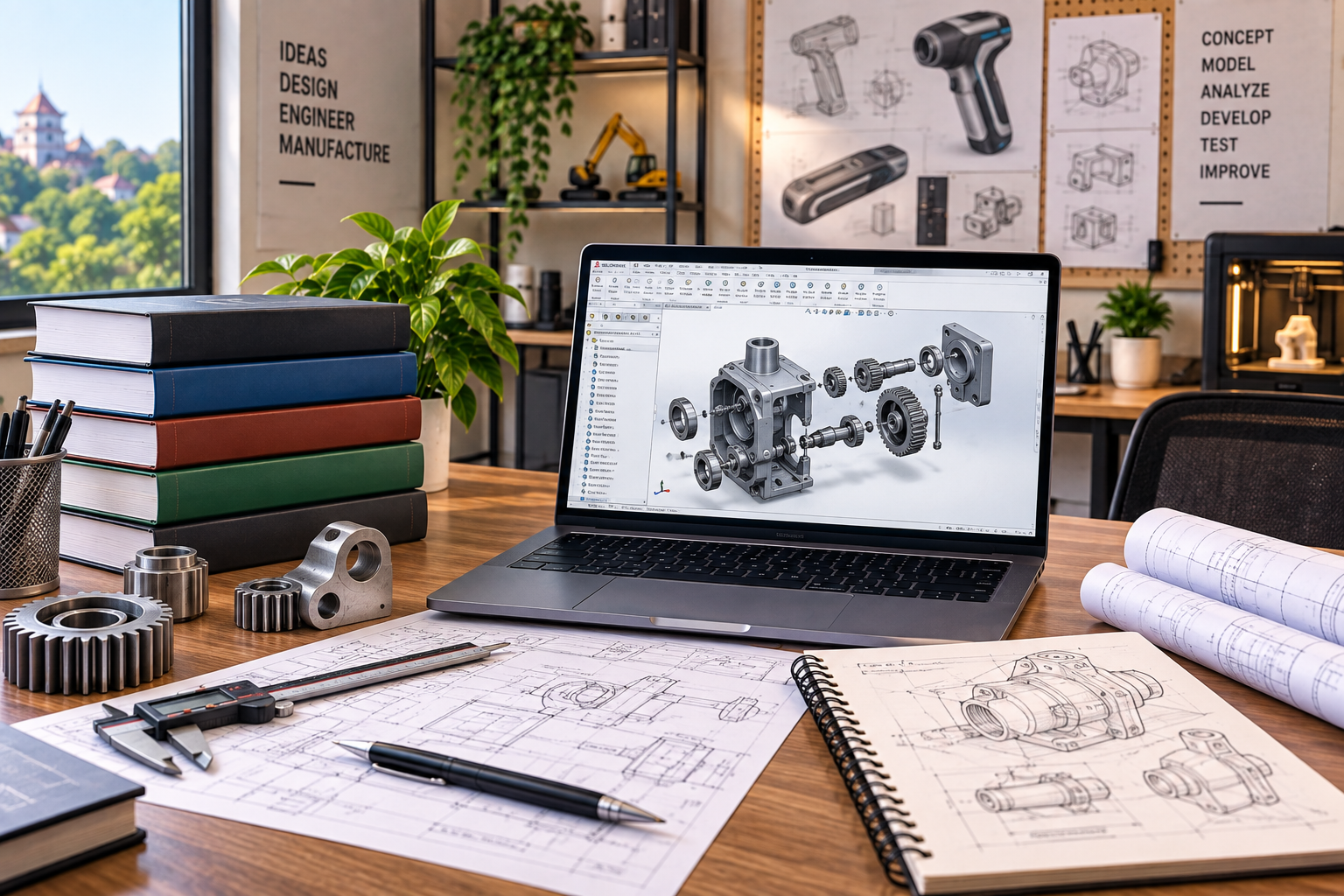
Product Design vs Mechanical Design: Which Career Should Students in Thrissur Choose?
Mechanical engineering students often encounter terms such as product design, mechanical design, CAD modelling, machine design, SolidWorks, CATIA, Creo, and NX while researching career options. Because these areas overlap, it can be difficult to understand where one career ends and another begins.
For students considering a Product Design Course Thrissur, the distinction is important. Product design in an engineering context focuses on developing products and components from requirements and concepts through 3D modelling, refinement, prototyping, and preparation for manufacturing. Mechanical design is broader and can include machines, mechanisms, components, assemblies, engineering calculations, materials, manufacturing requirements, and mechanical systems. The best choice depends less on the course title and more on the type of engineering problems you want to solve.
What Is the Difference Between Product Design and Mechanical Design?
Product design focuses on developing a product from requirements and concepts into a functional, manufacturable solution, while mechanical design focuses more broadly on engineering components, machines, mechanisms, assemblies, and mechanical systems.
The two fields frequently overlap. A mechanical design engineer may work on products, while a product development team may include mechanical engineers responsible for detailed engineering.
The difference is often one of scope and emphasis, rather than two completely separate professions.
Key Takeaways
-
Product design in mechanical engineering focuses on developing functional and manufacturable products.
-
Mechanical design has a broader engineering scope that can include machines, mechanisms, components, and systems.
-
3D CAD is important in both career paths.
-
SolidWorks, CATIA, Creo, and Siemens NX can be relevant depending on the employer and industry.
-
Engineering fundamentals matter more than simply knowing multiple software packages.
-
Mechanical engineering students can move between product development and mechanical design as their skills grow.
-
Practical projects and a strong CAD portfolio can help demonstrate ability to employers.
Product Design vs Mechanical Design: Quick Comparison
|
Area |
Product Design |
Mechanical Design |
|
Main focus |
Developing products and components |
Designing mechanical components, machines and systems |
|
Starting point |
Product/user/functional requirements |
Engineering and system requirements |
|
Core skills |
Concept development, CAD, assemblies, prototyping, manufacturability |
CAD, engineering calculations, mechanisms, materials, manufacturing |
|
3D modelling |
Major skill |
Major skill |
|
Assemblies |
Common |
Common |
|
Manufacturing knowledge |
Important |
Essential in many roles |
|
Typical software |
SolidWorks, CATIA, Creo, NX |
SolidWorks, CATIA, Creo, NX and related engineering tools |
|
Portfolio |
Product development projects |
Components, assemblies, machines and engineering projects |
|
Best suited to |
Learners interested in developing products |
Learners interested in broader mechanical engineering design |
What Do Students Learn in a Product Design Course Thrissur?
A practical product design course should teach students how to convert an idea or engineering requirement into a detailed digital product that can be evaluated and prepared for manufacturing.
Imagine a company wants to develop a new portable mechanical device.
The design cannot begin and end with creating an attractive 3D shape.
The designer may need to consider:
-
What problem does the product solve?
-
How will it function?
-
What dimensions are required?
-
Which material is suitable?
-
How will individual parts fit together?
-
Can the components be manufactured?
-
How will the product be assembled?
-
Are moving parts interfering with one another?
-
How can the design be documented?
A practical product development workflow may look like:
Requirement → Concept → Engineering Considerations → 3D CAD → Components → Assembly → Design Review → Prototype → Testing → Refinement → Manufacturing Documentation
This process explains why product design requires both creativity and engineering discipline.
What Is Mechanical Design?
Mechanical design is the engineering process of developing components, machines, mechanisms, and systems that meet functional, technical, safety, and manufacturing requirements.
Mechanical design can involve considerably more than creating CAD geometry.
A designer may need to understand:
-
Engineering mechanics
-
Machine elements
-
Materials
-
Tolerances
-
Fits
-
Manufacturing processes
-
Fasteners
-
Bearings
-
Shafts
-
Gears
-
Mechanisms
-
Loads
-
Assemblies
-
Engineering drawings
For example, designing a gearbox requires more than creating a visually accurate housing.
The engineer needs to understand how the gears, shafts, bearings, fasteners, lubrication requirements, loads, tolerances, and housing interact as a mechanical system.
Students interested in this broader direction can explore CAD CENTER's Mechanical CAD training.
Where Do Product Design and Mechanical Design Overlap?
Product design and mechanical design overlap whenever a physical product requires detailed mechanical engineering to function and be manufactured.
Consider a power tool.
At the product level, the team may consider:
-
Intended use
-
Product dimensions
-
Ergonomics
-
Component arrangement
-
Functionality
-
Serviceability
-
Manufacturing constraints
Mechanical design work may then go deeper into:
-
Gears
-
Shafts
-
Bearings
-
Fasteners
-
Housing features
-
Loads
-
Tolerances
-
Mechanical interfaces
The workflow could be represented as:
Product Requirement → Concept → Mechanical Architecture → CAD Components → Assembly → Engineering Validation → Prototype → Manufacturing
This is why mechanical engineering students should avoid assuming that they must permanently choose one field and ignore the other.
Which Skills Are Important for Product Design?
Engineering product designers need a combination of problem-solving, CAD, manufacturing awareness, and design-development skills.
Important skills can include:
Requirement Understanding
Before modelling anything, the designer should understand what the product needs to achieve.
Concept Development
Students should be able to explore more than one possible solution rather than immediately modelling the first idea.
3D Part Modelling
Creating accurate parametric components is a fundamental CAD skill.
Assembly Modelling
Most mechanical products consist of multiple components that must fit and operate together.
Design for Manufacturing
A part that looks good in CAD may be difficult or unnecessarily expensive to manufacture.
Students should therefore understand how processes such as machining, sheet metal fabrication, moulding, or other manufacturing methods influence design.
Technical Documentation
Engineering drawings communicate dimensions, tolerances, notes, and manufacturing information.
A professional CAD model without usable documentation may not be sufficient for production.
Which Skills Are Important for Mechanical Design?
Mechanical design requires CAD proficiency supported by strong engineering fundamentals and an understanding of how components behave in real operating conditions.
Important areas can include:
-
Engineering drawing
-
Machine design fundamentals
-
Materials
-
Manufacturing processes
-
Fits and tolerances
-
Geometric dimensioning concepts
-
Mechanisms
-
Component selection
-
Assembly design
-
Design calculations
-
CAD modelling
-
Technical documentation
This is where students sometimes make a career mistake.
Knowing how to model a shaft in CAD does not necessarily mean you know how to design the shaft for a particular application.
Software creates the geometry. Engineering determines whether the design makes sense.
Which Software Is Used in Product and Mechanical Design?
There is no single CAD application that every product or mechanical designer must use; software requirements vary by employer, industry, and project.
SolidWorks
SolidWorks is widely associated with mechanical product development and can support:
-
Parametric part modelling
-
Assemblies
-
Sheet metal
-
Drawings
-
Design changes
-
Product development workflows
Students should learn the workflow rather than memorising features.
CATIA
CATIA is used in complex product development environments and is associated with industries such as automotive and aerospace.
Dassault Systèmes describes CATIA as a product design and experience platform supporting multidisciplinary product development.
Creo
PTC Creo supports parametric 3D CAD and product development workflows.
According to PTC's Creo overview, the platform includes capabilities for product design, simulation, manufacturing, and related engineering processes.
Siemens NX
NX is another advanced engineering platform used for product development.
Siemens NX includes product engineering capabilities spanning design, simulation, and manufacturing workflows.
Students do not necessarily need to learn every platform at once.
A strong understanding of parametric modelling, assemblies, drawings, engineering design, and manufacturing makes it easier to adapt between CAD systems.
Is AutoCAD Enough for Product Design?
AutoCAD is useful for technical drafting, but students targeting modern mechanical product development usually need stronger 3D parametric modelling and assembly skills.
AutoCAD can still help with:
-
Engineering drawings
-
2D details
-
Layouts
-
Technical documentation
-
General CAD fundamentals
However, mechanical product development frequently requires:
-
Parametric parts
-
Complex features
-
Assemblies
-
Design relationships
-
Sheet metal
-
Detailed manufacturing drawings
-
Product revisions
This is why mechanical learners often progress from general CAD fundamentals into specialised mechanical CAD platforms.
Students who need a basic drafting foundation can explore CAD CENTER's AutoCAD course.
What Does a Practical Product Design Project Look Like?
A strong student project should demonstrate how an engineering problem was taken from requirements through modelling and documentation.
Suppose a student develops a bench vice.
Instead of showing only the final rendered image, the project portfolio could explain:
-
Functional requirements
-
Initial concept
-
Component breakdown
-
Material considerations
-
Base and body modelling
-
Screw mechanism
-
Jaw components
-
Assembly
-
Interference checking
-
Exploded view
-
Manufacturing drawings
-
Final design review
This allows an interviewer to see how the student thinks.
The final model is important, but the design process behind it provides stronger evidence of engineering ability.
What Career Opportunities Follow Product Design Training?
Product design skills can support roles involving CAD modelling, product development, component design, assemblies, documentation, and manufacturing support.
Depending on qualification, skills, industry, and experience, job titles can include:
-
Product Design Engineer
-
Junior Product Designer
-
Mechanical CAD Designer
-
3D CAD Modeller
-
Product Development Engineer
-
Design Engineer
-
CAD Engineer
-
Mechanical Design Assistant
-
Sheet Metal Designer
-
CAD Technician
Job titles vary significantly between companies.
Students should read job responsibilities carefully because two companies may use the same title for different types of work.
What Career Opportunities Exist in Mechanical Design?
Mechanical design skills can support careers across manufacturing, machinery, automotive, industrial equipment, product development, and engineering services.
Possible directions include:
-
Mechanical Design Engineer
-
Machine Design Engineer
-
CAD Design Engineer
-
Mechanical Drafter
-
Component Design Engineer
-
Tool Design-related roles
-
Product Development Engineer
-
Manufacturing Design Support
-
Mechanical CAD Technician
The position available to a fresher depends on educational qualification, engineering knowledge, CAD proficiency, portfolio quality, and employer requirements.
Completing a CAD course alone does not automatically qualify a candidate for every engineering position.
Which Industries Use Product and Mechanical Design Skills?
Both skill sets are relevant wherever physical products, components, machinery, or engineered equipment are developed and manufactured.
Potential industries include:
-
Automotive
-
Manufacturing
-
Industrial machinery
-
Consumer products
-
Aerospace supply chains
-
Engineering services
-
Machine tools
-
Automation equipment
-
Sheet metal fabrication
-
Industrial equipment
-
Product development companies
-
Mechanical consulting and design services
The software combination can differ substantially between industries.
This is another reason students should focus on transferable engineering principles instead of selecting a career based only on one software brand.
Product Design or Mechanical Design: Which Is Better for Mechanical Students?
Mechanical engineering students should choose based on the kind of problems they want to solve rather than trying to identify one universally better field.
|
If You Enjoy... |
Consider Focusing On |
|
Developing physical products |
Product Design |
|
Taking ideas into 3D CAD |
Product Design |
|
Product development workflows |
Product Design |
|
Components and assemblies |
Both |
|
Machines and mechanisms |
Mechanical Design |
|
Engineering calculations |
Mechanical Design |
|
Manufacturing systems |
Mechanical Design |
|
Detailed machine components |
Mechanical Design |
|
CAD-based engineering |
Both |
|
Moving from concept to manufacturing |
Product Design + Mechanical Design skills |
In practice, a mechanical engineer may develop skills across both areas during a career.
How Can Students Choose the Right CAD Software?
Choose software according to the industry and job role you are targeting, then build strong underlying CAD principles that transfer between platforms.
A student interested in general mechanical product development might begin with one parametric modelling platform and develop depth in:
Sketching → Part Modelling → Assemblies → Drawings → Sheet Metal → Design Changes → Practical Project
After understanding these concepts well, moving to another CAD system becomes easier.
Learning four software interfaces superficially is often less valuable than understanding one system deeply enough to complete a professional-style project.
What Should a Product Design Portfolio Include?
A product design portfolio should show engineering thinking, modelling ability, assemblies, documentation, and how the design evolved.
Useful portfolio elements include:
-
Problem statement
-
Design requirements
-
Concept sketches
-
Part models
-
Assembly model
-
Exploded views
-
Material considerations
-
Manufacturing considerations
-
Technical drawings
-
Design revisions
-
Final product
-
Short explanation of decisions
Avoid filling the portfolio only with rendered images.
Employers evaluating engineering candidates may want to understand whether you can create accurate, editable, manufacturable CAD models—not simply attractive visualisations.
How Can a Product Design Career Progress?
Career progression usually comes from moving beyond CAD operation toward greater engineering, product, and project responsibility.
One possible progression is:
CAD Trainee / Junior Modeller
↓
Mechanical CAD Designer / Junior Design Engineer
↓
Product Design or Mechanical Design Engineer
↓
Senior Design / Product Development Responsibilities
↓
Lead or Specialist Engineering Responsibilities
This is not a guaranteed or universal sequence.
Progress depends on qualifications, employer structure, technical competence, project experience, communication skills, and continued professional development.
What Should You Check Before Joining a Product Design Course Thrissur?
Students should evaluate whether the course teaches complete mechanical product-development workflows rather than only software commands.
Before enrolling, ask:
-
Does the course teach parametric 3D modelling?
-
Are assembly workflows included?
-
Will I learn engineering drawings?
-
Are manufacturing considerations discussed?
-
Is sheet metal covered where relevant?
-
Which mechanical CAD software is taught?
-
Will I complete practical product projects?
-
Will I develop a portfolio?
-
Do trainers explain mechanical engineering applications?
-
What certification is provided?
-
What does placement assistance include?
The number of software packages advertised should not be the primary measure of course quality.
The stronger question is:
“What will I be able to design independently when I finish?”
Common Mistakes Mechanical Students Make When Learning Product Design
The biggest mistake is treating CAD software proficiency as equivalent to engineering design ability.
Other common mistakes include:
-
Memorising software commands
-
Modelling without understanding manufacturing
-
Ignoring fits and tolerances
-
Focusing only on rendered output
-
Learning too many CAD packages superficially
-
Not completing assemblies
-
Ignoring technical drawings
-
Building no project portfolio
-
Choosing software only because it appears in advertisements
-
Assuming certification guarantees an engineering job
A better approach is to use CAD as a tool for applying mechanical engineering knowledge.
CAD CENTER Thrissur – Developing Practical Product and Mechanical Design Skills
CAD CENTER Thrissur provides mechanical CAD training aimed at connecting software proficiency with practical product development and engineering design workflows.
CAD CENTER was established in 1989 by Dr. M. R. Sreedharan Nair, former Principal of Government Engineering College, Thrissur. The institute has trained engineering students, diploma holders, working professionals, and corporate learners across CAD and engineering technologies.
Its training approach includes:
-
Autodesk Authorized Training
-
Experienced technical faculty
-
Industry-oriented curriculum
-
Hands-on CAD practice
-
Practical project-based learning
-
Modern CAD laboratories
-
Mechanical and product design specialisations
-
Job-oriented programs
-
Placement assistance
-
Corporate training experience
-
An established alumni network
For students considering a Product Design Course Thrissur, the objective should be to develop the ability to turn engineering requirements into accurate components, assemblies, drawings, and practical product solutions.
Students can explore CAD CENTER's Mechanical CAD training and related CAD and engineering courses before choosing a learning pathway.
Conclusion: Should You Choose Mechanical Design or a Product Design Course Thrissur?
A Product Design Course Thrissur can be a suitable pathway for mechanical students interested in taking product ideas through CAD modelling, assemblies, refinement, documentation, and manufacturing preparation, while mechanical design offers a broader path into components, machines, mechanisms, and engineering systems.
The two careers overlap significantly.
For many mechanical engineering students, a useful learning pathway is:
Mechanical Fundamentals → Engineering Drawing → 3D Parametric CAD → Components → Assemblies → Manufacturing Knowledge → Product Project → Portfolio
Students can then specialise further according to the industry and type of engineering work they enjoy.
Instead of asking which career is universally better, ask:
Do I want to focus more on developing products, or do I want a broader mechanical design role involving machines, components, and engineering systems?
The answer provides a much clearer starting point.
Ready to Develop Your Mechanical Product Design Skills?
If you are interested in mechanical CAD but are unsure whether product design or broader mechanical design fits your career goals, start by comparing the type of projects and engineering responsibilities involved in each pathway.
Explore CAD CENTER's Mechanical CAD training, review available CAD and engineering courses, or contact CAD CENTER to discuss a suitable learning path based on your educational background and career interests.
Frequently Asked Questions
1. What is the difference between product design and mechanical design?
Product design in a mechanical engineering context focuses on developing products from requirements and concepts through CAD, assemblies, refinement, prototyping, and manufacturing preparation. Mechanical design is broader and can include machines, mechanisms, components, engineering calculations, materials, and mechanical systems. The two areas frequently overlap in real engineering projects.
2. Is product design suitable for mechanical engineering students?
Yes. Product design can be a relevant specialization for mechanical engineering students interested in developing physical products, components, assemblies, and manufacturable solutions. Their engineering background can help them understand materials, mechanics, manufacturing, and functional requirements rather than approaching product development only as 3D modelling.
3. Which software should I learn for mechanical product design?
The required software depends on the employer and industry. Platforms such as SolidWorks, CATIA, Creo, and Siemens NX are associated with mechanical and product development workflows. Rather than trying to learn every platform immediately, students should first develop strong parametric modelling, assembly, drawing, and engineering design skills.
4. Is AutoCAD enough for a product design career?
AutoCAD can be useful for drafting and technical documentation, but mechanical product development often requires parametric 3D modelling, assemblies, design relationships, manufacturing drawings, and specialised mechanical CAD functionality. Students targeting product development roles can therefore benefit from progressing into suitable 3D mechanical CAD platforms.
5. What jobs can I pursue after a Product Design Course Thrissur?
Depending on your qualification, CAD proficiency, portfolio, and employer requirements, you may explore roles such as junior product designer, mechanical CAD designer, CAD engineer, 3D CAD modeller, product development assistant, mechanical design assistant, or related technical positions. Job titles and responsibilities vary significantly between organisations.
6. Do product designers need manufacturing knowledge?
For engineering-focused product design, manufacturing knowledge is highly valuable. A product must not only function digitally; its components need to be produced and assembled practically. Understanding machining, sheet metal, moulding, materials, tolerances, and other manufacturing considerations helps designers create more realistic and manufacturable solutions.
7. What should I include in a mechanical product design portfolio?
Include projects that show the complete process: requirements, concepts, 3D part models, assemblies, exploded views, materials, manufacturing considerations, engineering drawings, revisions, and final design. Explain the decisions you made. A portfolio that demonstrates problem-solving usually communicates more engineering ability than a collection of final rendered images.
8. How do I choose a Product Design Course Thrissur?
Compare programs based on engineering fundamentals, parametric modelling, assemblies, technical drawings, manufacturing concepts, practical projects, software coverage, trainer expertise, portfolio development, certification, and placement assistance. Choose a course that helps you apply CAD to real mechanical design problems rather than one focused mainly on software commands.
← Back